|
Printing Tip: Select the right paper |
|
You currently have A4 paper selected.
|
|
For best results, select a type of paper ready in your printer.
Be careful to select the same paper type in two places:
- Here in the Print Center page
- In the print setup dialog that will appear
after you click the Print button.
Also be sure Portrait layout is selected.
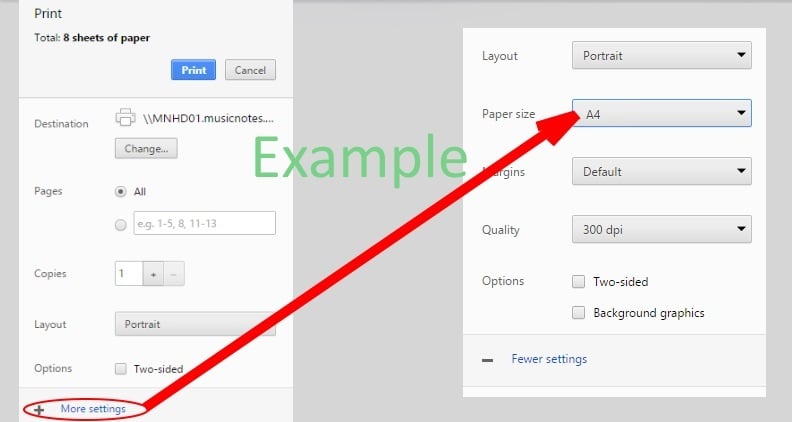
Here's an example of how the print setup dialog may look.
Click + More settings to select your paper.
|
|
|