|
Printing Tip: Disable IE's headers and footers |
Internet Explorer adds the URL, Date, and Page Numbers to the corners of your printed sheet music.
If you dislike that, it's easy to turn them off.
First click the "gear" icon in the top right corner,
to select Print, and then Page setup...
|

|
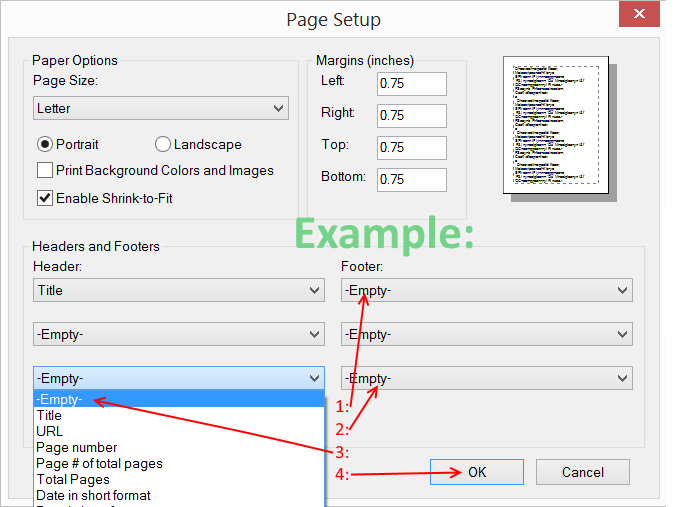
At the bottom of Page Setup, change Headers and Footers to -Empty-.
(You can leave Title if you want):
|
|
Then click the OK button.
|
|